INSTALLATION
Installing the Addon
Please remember to uninstall the previous version of the add-on before installing the new version.
To install the addon:
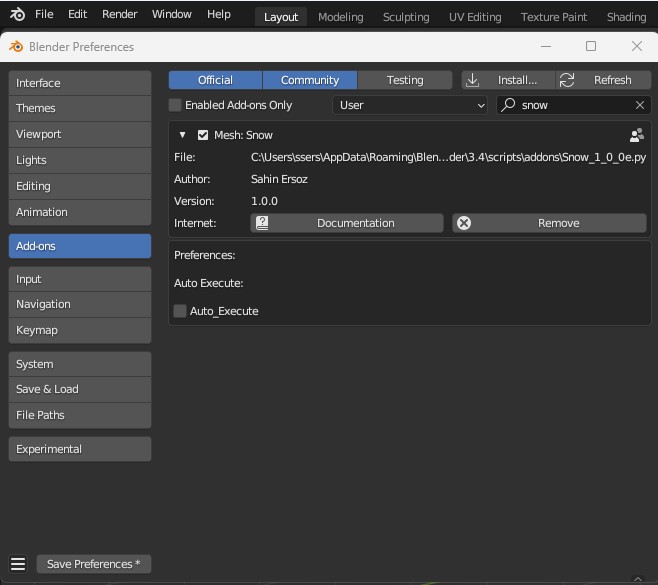
In Blender, click Edit > Preferences in the top bar menu, Add-ons > Install…
Browse to the directory where your addon file is saved, select Snow_***_R.zip then click Install Addon.
Check the box next to the addon in the list to enable it.
If you would like the add-on automatically apply snow using the default values enable "Auto Execute"
Save your preferences if it is not set to save automaticaly.
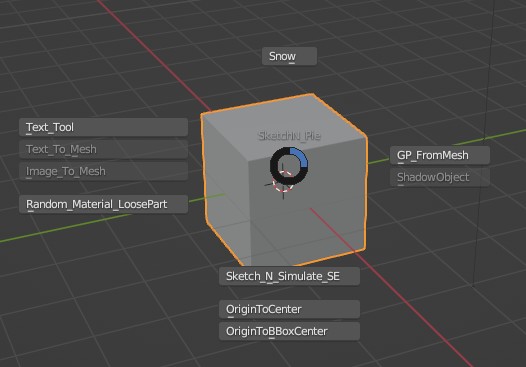
You will find Snow under "Object" menu and/or by pressing "F7" under the "Sketchn Pie" menu.
"F7" is assigned for "SketchN Pie " menu which also includes Snow.
If you own Wear_N_Tear Snow will be listed under Wear N Tear Pie menu also ("F9")
In Object mode you will find Snow under the "Object / Snow " menu.
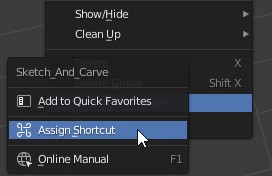
If you would like to assign a different shortcut Right click on the name and select "Assign Shortcut". Choose a letter available and type it.
Save your Preferences again. You are good to go!