CAMERA AND CANVAS CONTROLS
Camera Controls:
ALIGN TO SURFACE
CAMERA AND CANVAS CONTROLS |
|
|
|
| Most operations in Sketch N' Carve is performed from the camera's point of view. The canvas is always aligned to the camera, therefore when you orient the view you will be orienting the canvas, the strokes and the resulting 3D geometry. | |
| There are a few shortcuts to quickly align the camera: | |
Camera Controls: |
|
| Alt Numpad 1 | Camera Front |
| Ctrl Alt Numpad 1 | Camera Behind |
| Alt Numpad 3 | Camera Side |
| Ctrl Alt Numpad 3 | Camera Side Accross |
| Alt Numpad 7 | Camera Top |
| Ctrl Alt Numpad 7 | Camera Bottom |
| Alt Numpad * (Multiply) | Align To Surface |
| Shift Alt Numpad * (Multiply) | Align To Surface Front |
| Shift Ctrl Alt Numpad * (Multiply) | Align To Surface Right |
| Alt Numpad / (Slash) | Align To Edge |
| Shift Alt Numpad / (Slash) | Align To Edge Front |
| Shift Ctrl Alt Numpad / (Slash) | Align To Edge Right |
| Alt Numpad . (Period) | Align To Vertex |
| Shift Alt Numpad . (Period) | Align To Vertex Front |
| Shift Ctrl Alt Numpad . (Period) | Align To Vertex Right |
| Alt Numpad 5 | Camera (Canvas) Tilt |
ALIGN TO SURFACE |
|
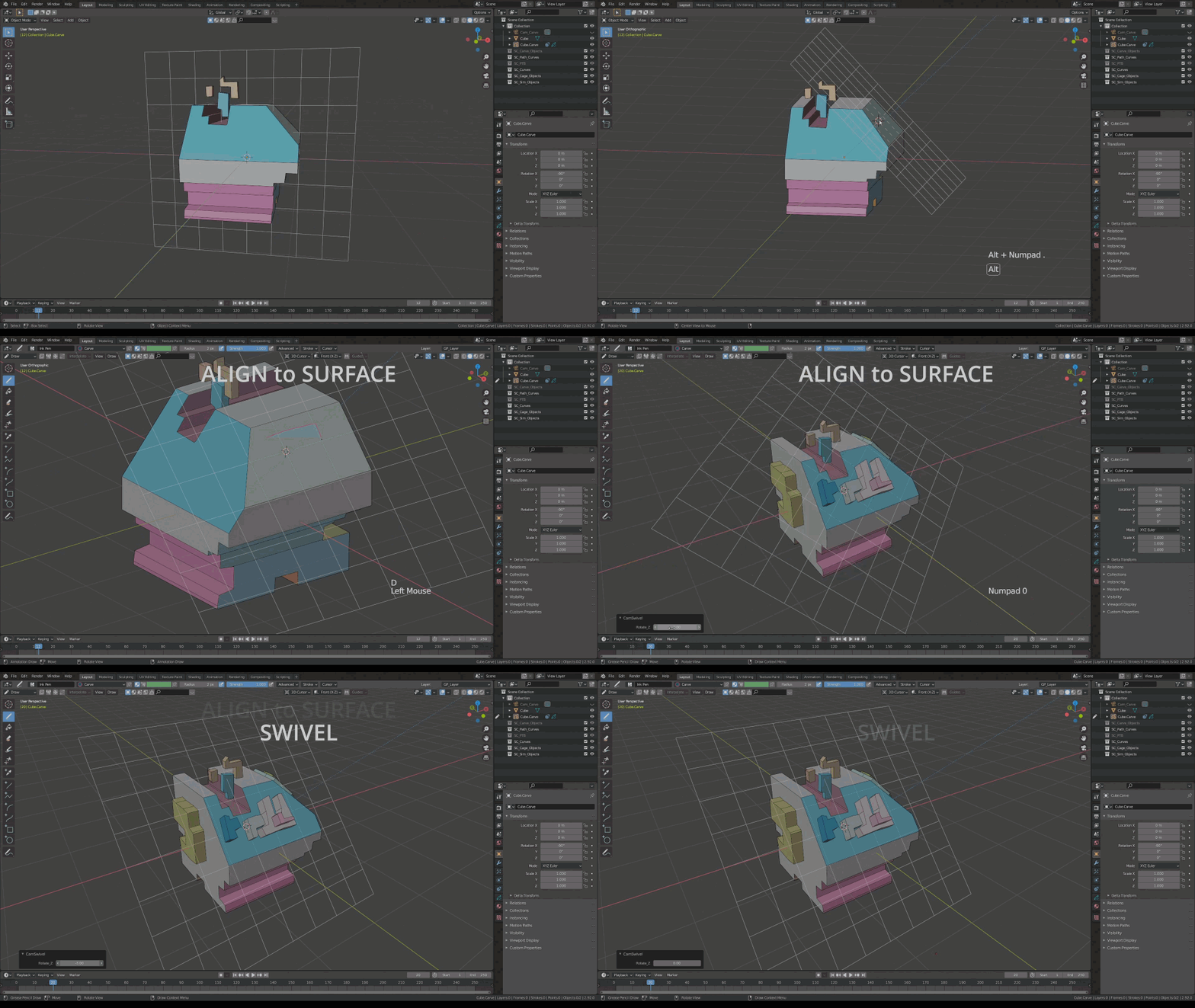
| To align the canvas to a particular surface, position the cursor on that surface by "Shift+Right Mouse" click, then press "Alt *" (Alt+Numpad Multiply). | |
|
|
|
|